 Huntlyn
From a city name to a signed client
Six steps, all in one place. Most people send their first pitch within ten minutes of signing in.
Sign in and choose what you sell
Sign in with your Google account. In Settings, pick your service (SEO, web design, social media, ads, design, video, content or VA) and add your name, so every message is signed by you.
Add the Chrome extension
The extension reads public listings from Google Maps, Yelp and Yellow Pages in your own browser and checks business websites for the audit. It never runs on other sites and never sends anything for you.
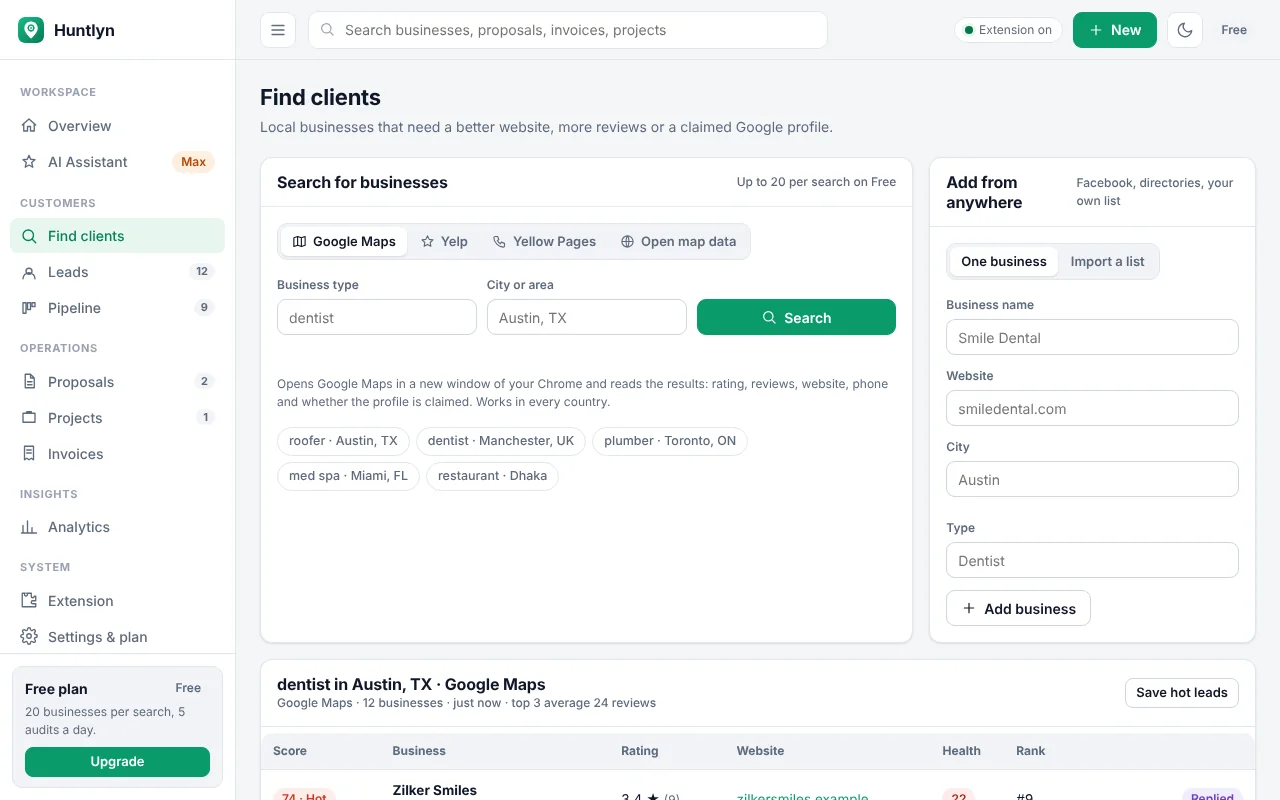
Search a business type and a place
Type something like "dentist" and "Leeds", pick a source and press search. In a minute you have a scored list with ratings, reviews, websites and phone numbers. You can also import a list you already have.
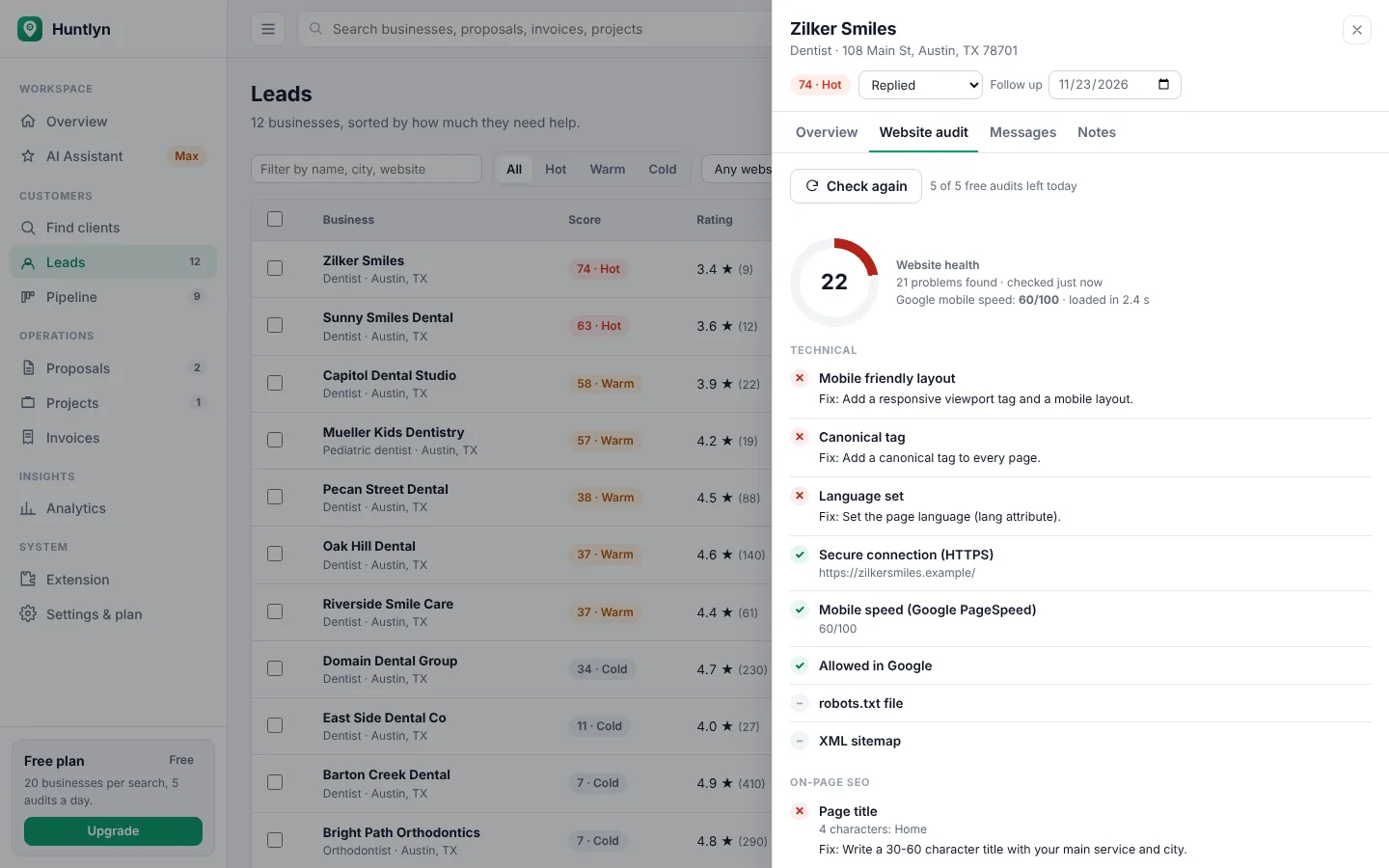
Pick the hot leads and run the audit
Start with the highest scores. One click checks the website on 26 points and shows the problems, the fixes and how the business compares with the top 3.
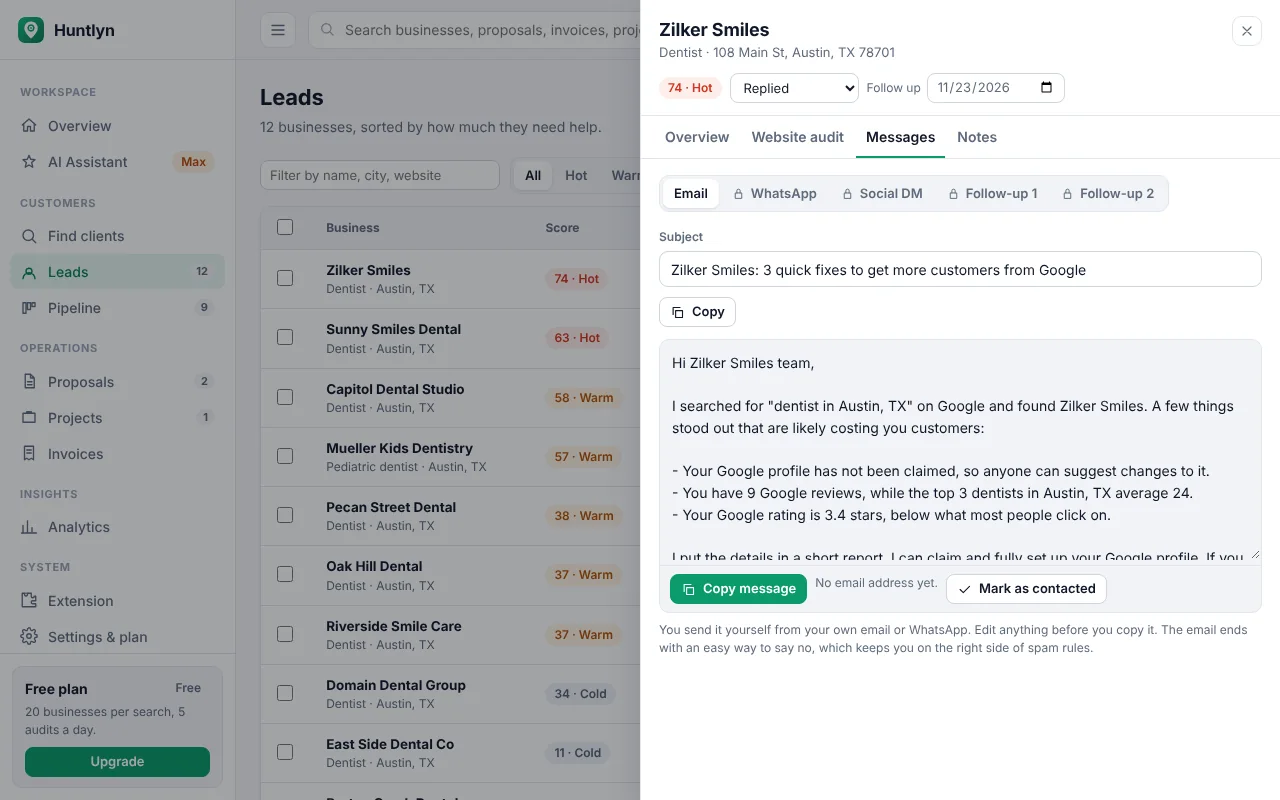
Send the message and the report
Copy the email, WhatsApp message or DM, already filled with their numbers, and attach the PDF report. Send it from your own accounts, then mark the business as contacted.
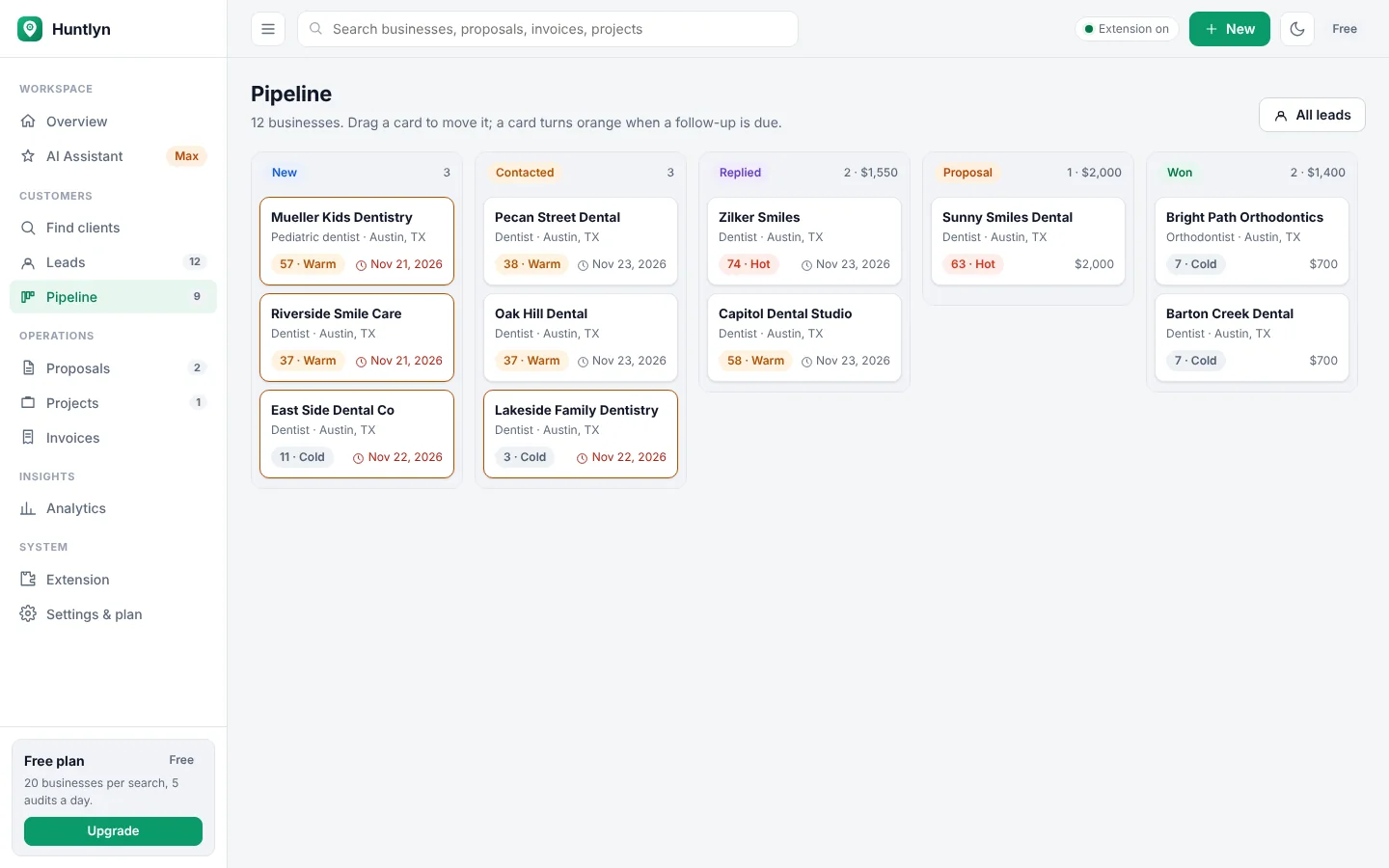
Follow up, propose and get paid
Move the business through your pipeline as they reply. Turn the audit into a proposal, and when they accept, run the project and send the invoice from the same place.
What you need
No setup, no servers, nothing to install except the extension.
Chrome on a computer
Huntlyn runs in Google Chrome on Windows, Mac, Linux or ChromeOS.
A Google account
You sign in with it, and your work and plan follow it to any computer.
Any country
Google Maps and open map data work worldwide. Yelp covers the US, Canada, the UK and Australia.
Try it on your own city
Search one business type where you live and see who needs your help today.
Start free